
In the fast-paced world of digital content, short-form videos have exploded in popularity. YouTube Shorts, TikTok, and Instagram Reels have become the primary channels for creators to reach audiences, grow their following, and monetize content. As short-form video continues to dominate, creators need tools that are fast, intuitive, and mobile-friendly.
Recognizing this, Adobe has launched a new content creation hub within Premiere Mobile, designed specifically for YouTube Shorts creators. This update promises to streamline the content creation process, giving creators a powerful suite of tools on their smartphones to edit, optimize, and publish short-form videos faster than ever.
In this guide, we’ll explore everything you need to know about Adobe’s Premiere Mobile hub—its features, benefits, and practical tips for YouTube Shorts creators looking to boost productivity and engagement.
Why Adobe Premiere Mobile Matters for Short-Form Creators
Adobe Premiere has long been a gold standard in video editing. Its desktop version is used by professional filmmakers, YouTubers, and agencies worldwide. However, mobile-first content creators often face challenges:
-
Limited tools on mobile platforms
-
Complex desktop workflows
-
Inability to quickly edit on-the-go
With Premiere Mobile, Adobe is bridging the gap, providing creators with a powerful yet portable editing suite that’s optimized for short-form video content.
Key Advantages for YouTube Shorts
-
Mobile-first editing – Edit directly on your phone without needing a desktop.
-
Streamlined workflow – Import, edit, and publish all from one hub.
-
Optimized for vertical video – Perfect for Shorts, Reels, and TikTok.
-
Integration with Adobe Creative Cloud – Access assets, templates, and edits across devices.
-
AI-powered tools – Enhance efficiency with smart audio, video trimming, and color correction.
In essence, this hub transforms the smartphone into a professional-grade editing studio.
What Is the Premiere Mobile Hub?
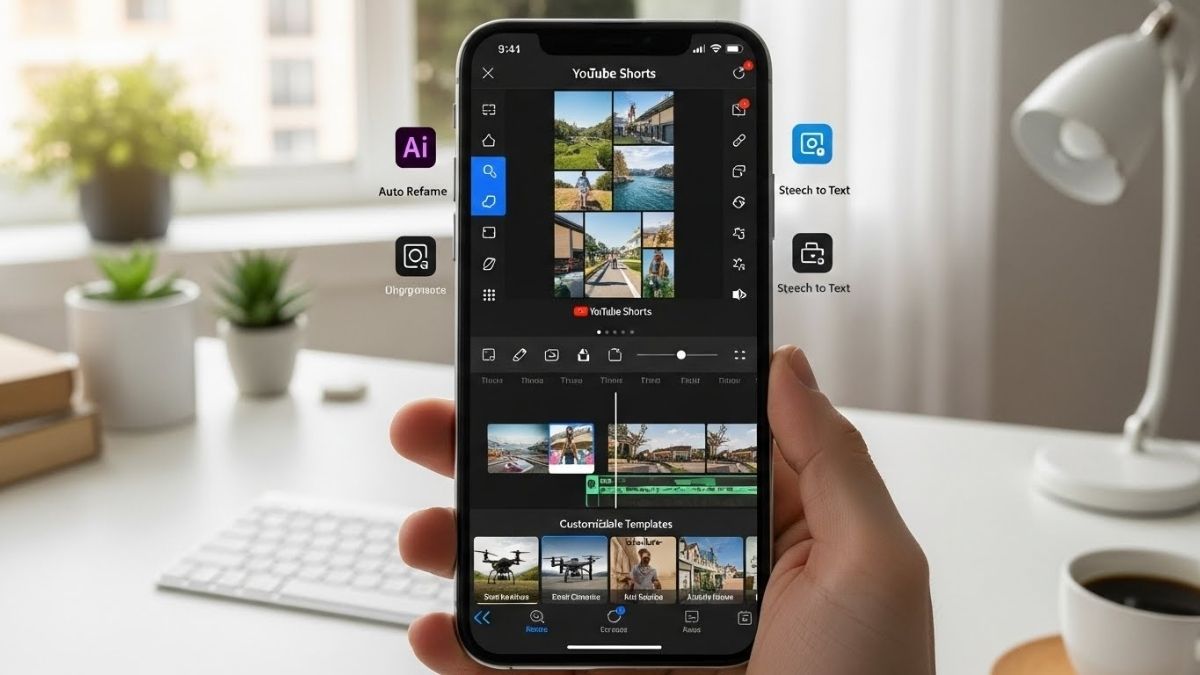
The Premiere Mobile Hub is essentially a centralized workspace within Adobe Premiere Mobile. It consolidates tools, templates, and resources that creators need to produce high-quality YouTube Shorts quickly.
Instead of navigating multiple menus or apps, creators can now access:
-
Editing tools
-
Templates for vertical video
-
Stock footage, music, and graphics
-
AI-driven enhancements
-
Publishing options directly to YouTube
Adobe calls this hub a “one-stop content creation solution” for mobile creators.
Top Features of Adobe’s Premiere Mobile Hub
Here’s a detailed breakdown of the most important features of the new hub:
1. Smart Editing Tools Optimized for Vertical Video
Creating YouTube Shorts requires vertical video (9:16). The hub provides tools tailored for this format:
-
Auto-crop and reframing – Automatically adjusts horizontal footage to vertical format.
-
Quick trimming and split tools – Edit clips in seconds without precision headaches.
-
Aspect ratio switching – Easily convert videos for TikTok or Instagram Reels.
This eliminates the time-consuming need to resize and reformat videos manually.
2. Templates and Presets
The hub includes pre-built templates designed for Shorts creators:
-
Animated intros and outros
-
Lower-thirds for text overlays
-
Social media transitions
-
Color grading presets for a cinematic look
Templates allow creators to produce professional content faster, especially if they’re short on time or design skills.
3. AI-Powered Automation
Adobe has integrated its AI technology (Adobe Sensei) into the hub, offering features like:
-
Auto-cut suggestions – AI detects key moments and trims footage automatically.
-
Background noise removal – Clean audio in seconds, perfect for mobile recordings.
-
Auto-captioning – Generate accurate subtitles for engagement and accessibility.
-
Scene detection – Quickly navigate to important parts of your video.
AI helps creators save time and reduce editing friction, letting them focus on storytelling rather than technical adjustments.
4. Access to Adobe Stock and Assets
Creators can now access Adobe Stock libraries directly in the app, including:
-
Stock footage for B-roll
-
Royalty-free music
-
Motion graphics templates
-
Icons, logos, and visual elements
This integration reduces the need to switch apps or search external sources for content, streamlining workflow.
5. Direct YouTube Integration
The hub allows creators to publish videos directly to YouTube Shorts without leaving the app:
-
Optimized upload settings for Shorts
-
Add titles, descriptions, and tags
-
Schedule publishing
-
Track analytics after upload
This feature eliminates extra steps, making the mobile-to-YouTube pipeline seamless.
6. Collaborative Editing
For creators who work with teams, Adobe has included collaboration tools:
-
Share project links – Team members can access edits on mobile or desktop.
-
Real-time comments and notes – Give and receive feedback instantly.
-
Version control – Keep track of edits and restore previous versions.
This is ideal for agencies, co-creators, or multi-person production teams working remotely.
Why Premiere Mobile Hub Is Perfect for YouTube Shorts
YouTube Shorts are 15-60 seconds long, meaning creators must be fast and efficient. Traditional desktop workflows are often overkill for such short content. Here’s why Premiere Mobile Hub shines for Shorts:
-
Speed: Edit, enhance, and publish in minutes.
-
Mobility: Create anywhere—home, travel, or outdoors.
-
Consistency: Use templates and presets to maintain brand style.
-
Engagement: AI-generated captions and edits help retain viewers.
-
Professional Quality: Stock footage, motion graphics, and color grading give a polished finish.
In short, the hub is tailored to meet the demands of fast-paced, high-quality short-form video production.
How to Get Started With Premiere Mobile Hub
Here’s a step-by-step guide for creators:
Step 1: Download Adobe Premiere Mobile
-
Available on iOS and Android.
-
Requires an Adobe Creative Cloud account (some features may need a subscription).
Step 2: Explore the Hub
-
Open the app and navigate to the Content Creation Hub.
-
Browse templates, stock footage, and AI tools.
Step 3: Import or Shoot Your Footage
-
Record directly on your phone or import existing clips.
-
Ensure vertical format (9:16) for YouTube Shorts.
Step 4: Edit With AI Assistance
-
Use auto-trimming, scene detection, and audio clean-up features.
-
Apply templates, text overlays, or motion graphics.
Step 5: Publish Directly
-
Link your YouTube account.
-
Add title, description, tags, and schedule publish time.
-
Share your content immediately with your audience.
Tips for Maximizing YouTube Shorts Success With Adobe Premiere Mobile
-
Keep it short and snappy – Focus on 15-30 seconds of impactful content.
-
Leverage templates – Consistency builds brand recognition.
-
Use captions – Many viewers watch without sound.
-
Optimize visuals – Vertical orientation is key; use color grading and filters.
-
Engage early – Capture attention within the first 3 seconds.
-
Experiment with AI tools – Auto-cut and scene detection can save significant time.
-
Track performance – Use YouTube analytics to understand what resonates.
Real-World Use Cases
For Solo Creators
-
Edit and publish vlogs, tutorials, or comedy clips on-the-go.
-
Add motion graphics without needing desktop software.
For Influencers
-
Maintain content consistency across multiple social platforms.
-
Quickly respond to trends with fast editing and publishing.
For Small Businesses
-
Promote products with polished short videos.
-
Incorporate stock assets for professional marketing campaigns.
Why This Update Is a Game-Changer
Adobe Premiere Mobile Hub addresses key pain points for creators:
-
Time constraints – AI tools reduce editing time.
-
Mobile-first workflow – No desktop needed.
-
High-quality output – Templates, graphics, and Adobe Stock maintain professional standards.
-
Ease of use – Intuitive interface makes video production accessible to beginners.
By offering a centralized hub, Adobe empowers creators to produce Shorts faster, smarter, and more efficiently, making it easier than ever to grow their audience.
Also Read: 11 Best MagSafe Wallets You Can Use to Replace Your Traditional Wallet
Final Thoughts
The launch of Adobe Premiere Mobile Hub is a major step forward for YouTube Shorts creators. With its AI-powered tools, templates, stock access, and direct YouTube integration, this mobile hub is designed to make short-form video production faster, simpler, and more professional.
Whether you’re a beginner looking to experiment with content or a seasoned creator aiming to streamline your workflow, Premiere Mobile Hub offers everything you need to succeed in the mobile-first, short-form video era.
If you want to stay competitive on YouTube Shorts in 2025, adopting tools like Adobe’s Premiere Mobile Hub isn’t just a convenience—it’s essential.